How to Get Your Resume Done, Even If You Have No Idea Where to Start
The hardest part of a first resume is not the writing, it is knowing what to write. Here is how to get one done without staring at a blank page.

Laddro
The hardest part of a first resume is not the writing. It is knowing what to write. Most students open a blank template and freeze: what goes in, how much detail is too much, whether a summer job or a semester project even counts. Staring at the blank page rarely helps, and neither does a template that assumes you already know the answer.
A resume is also not something you write once. It changes every time you apply somewhere new, and during a job search you will come back to it constantly. Laddro is a free tool built around both problems: getting the first version out of your head, and keeping it current after that.
1. Choose how you want to write it
Three ways in, and you pick based on how much you already know.
Standard gives you a blank resume and full control, if you know exactly what you want to say. Autopilot connects your own ChatGPT or Claude, so you can build and update your resume straight from the assistant you already use. Guided is the one to pick if you are staring at that blank page.
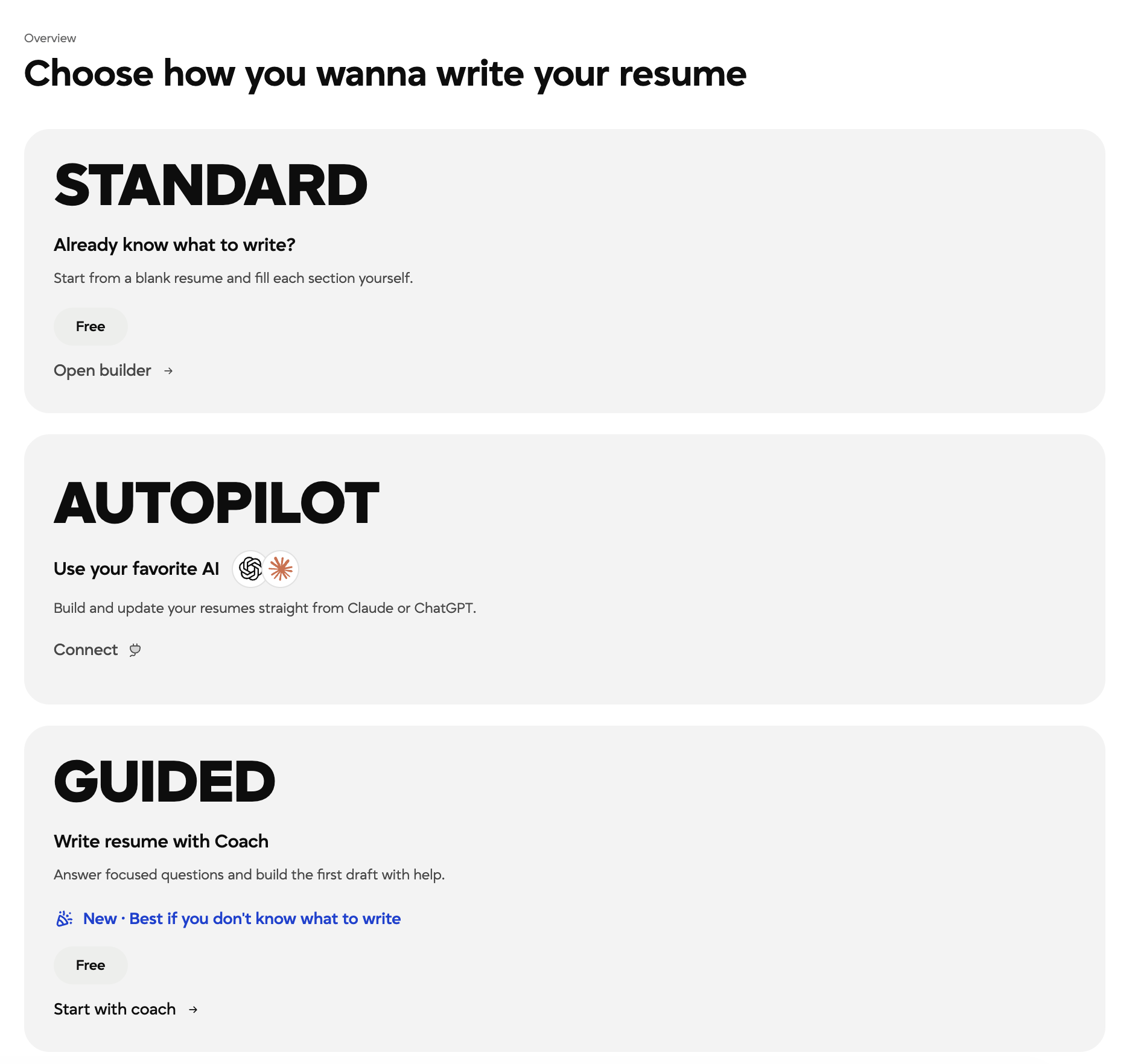
Three ways to start: take control yourself, connect the AI assistant you already use, or let the coach ask the questions.
2. Let the coach do the asking
Guided asks one focused question at a time and writes your resume as you answer, so you are never inventing structure from scratch. The questions are specific enough to answer honestly, including when you cannot remember exactly, and you can always skip one and come back.
Your resume fills in beside you as you go, so you can see it taking shape rather than trusting it blindly.
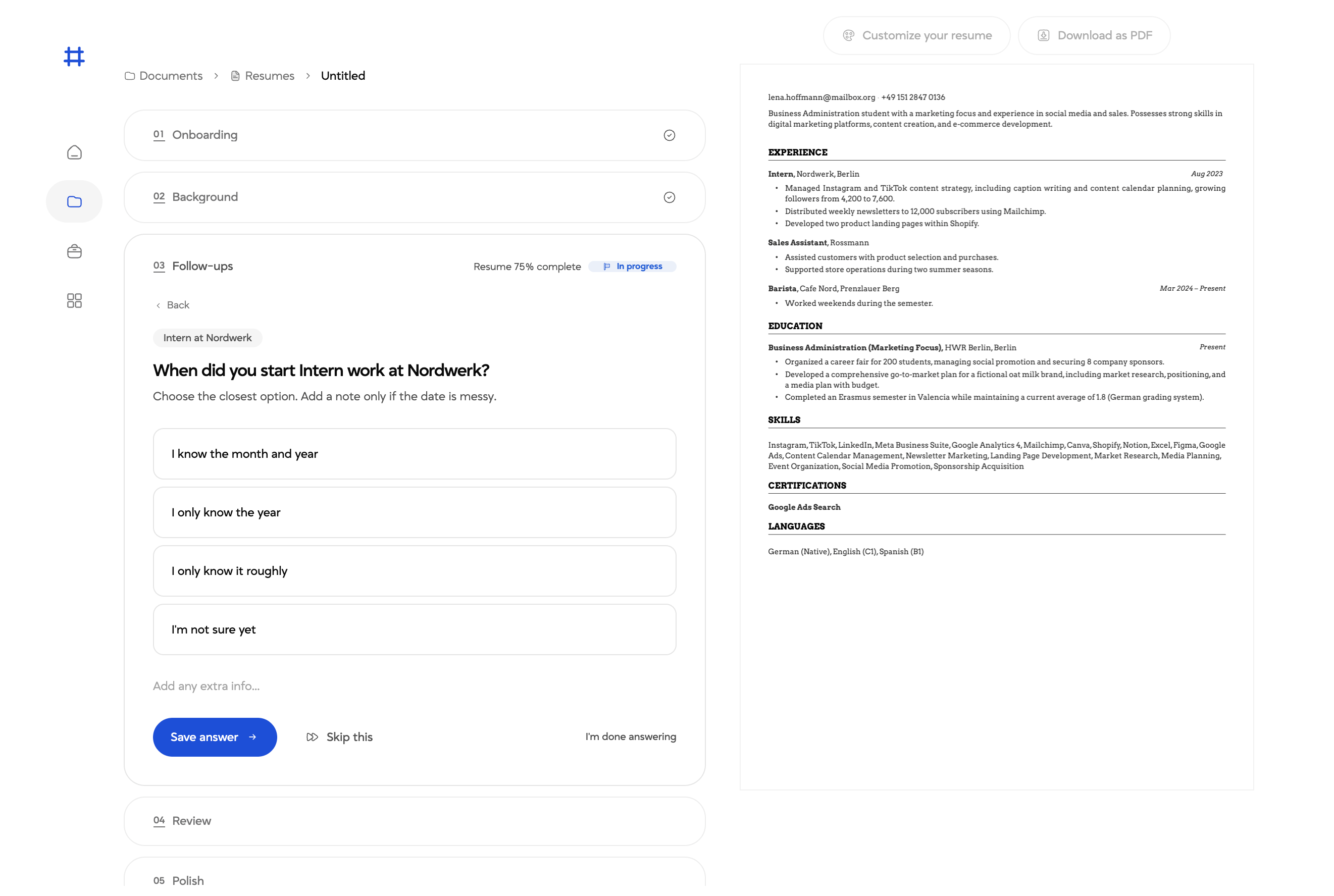
The coach asks one question at a time, and your CV is written alongside your answers as you go.
Whichever way you start, you can switch to editing the resume directly at any point, and a completeness score tells you how far along you are. Your resume needs to reach 70 percent complete before you can download it, which stops half finished CVs going out.
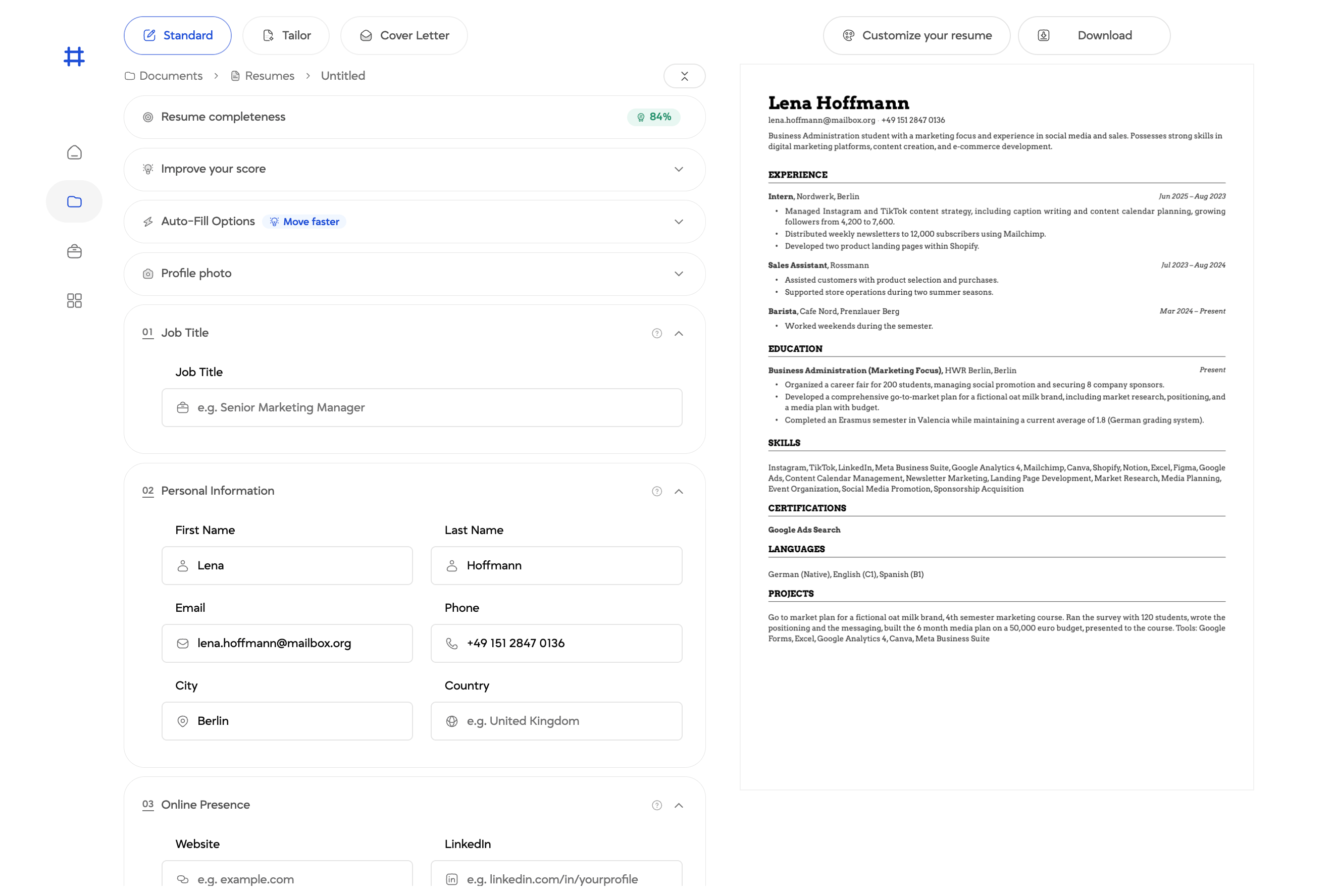
You can switch to editing directly at any point. The completeness score shows how close your CV is to being ready to download.
3. Pick a template that machines can actually read
Every template is built to pass applicant tracking systems while still looking right to the person who opens it. They are generated as proper PDFs rather than exported from a word processor, which is what keeps the layout intact when a recruiter opens it.
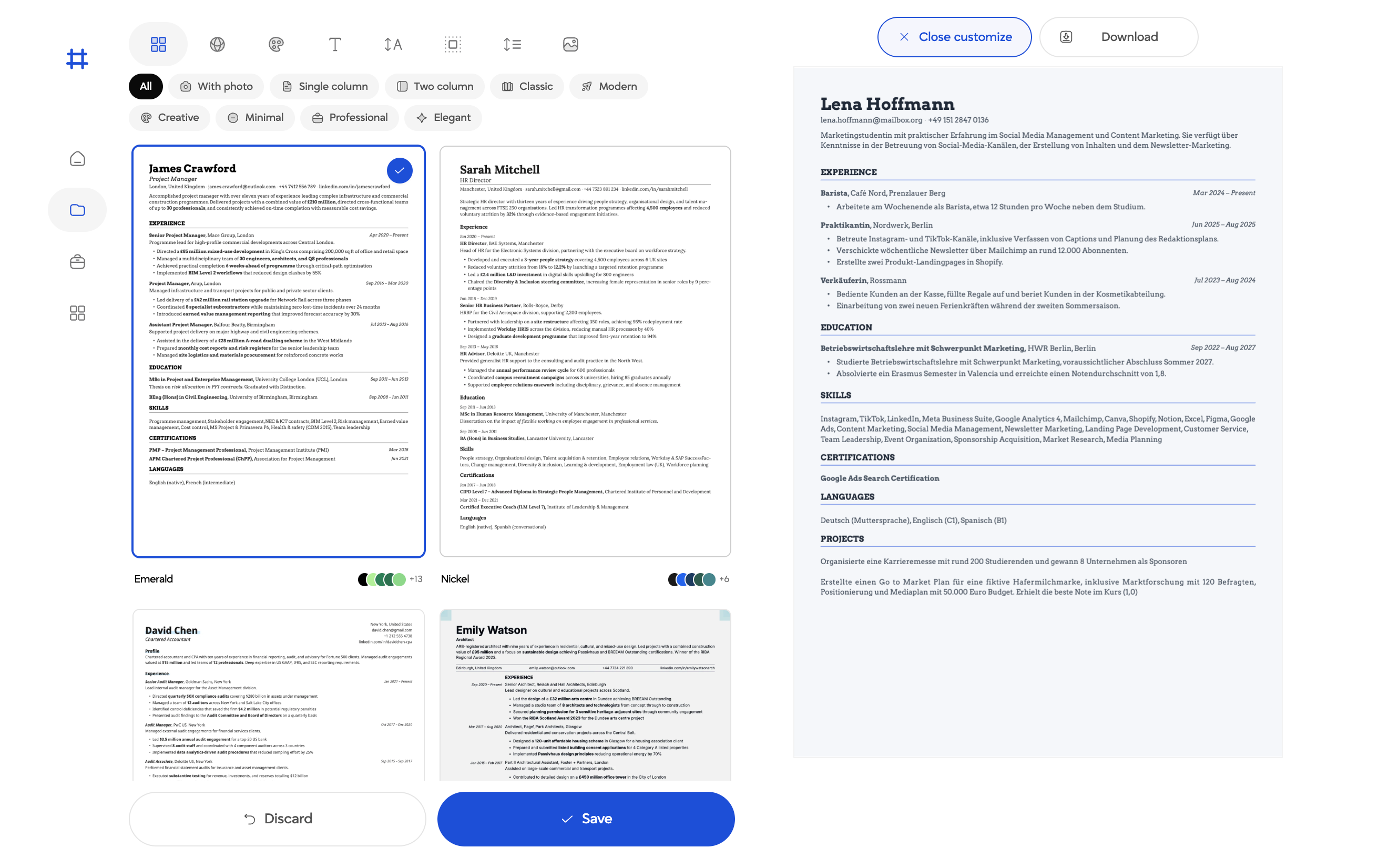
Filter by layout and style, and every template carries its own colour variants.
4. Make it look like you
Once the template is set, you can adjust the details without touching a word of your text. Everything updates in the preview as you go, and nothing is applied until you save.
Colours. Ready made combinations that work together. For most applications a restrained tone is the safe choice, and creative fields can take something bolder.
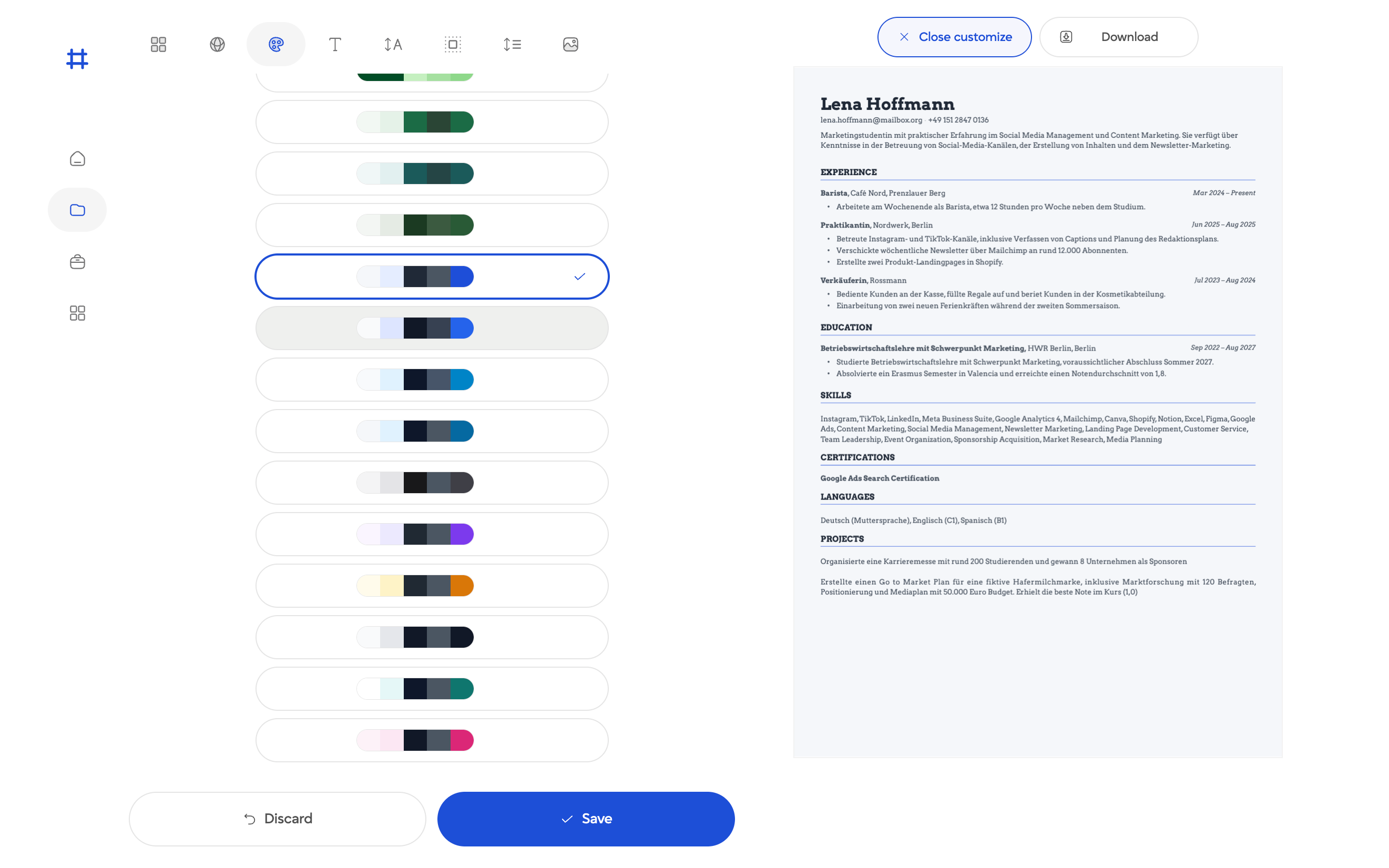
Ready made combinations. Restrained for most applications, bolder for creative fields.
Fonts. A set of serif and sans serif faces, all checked for legibility in a PDF.
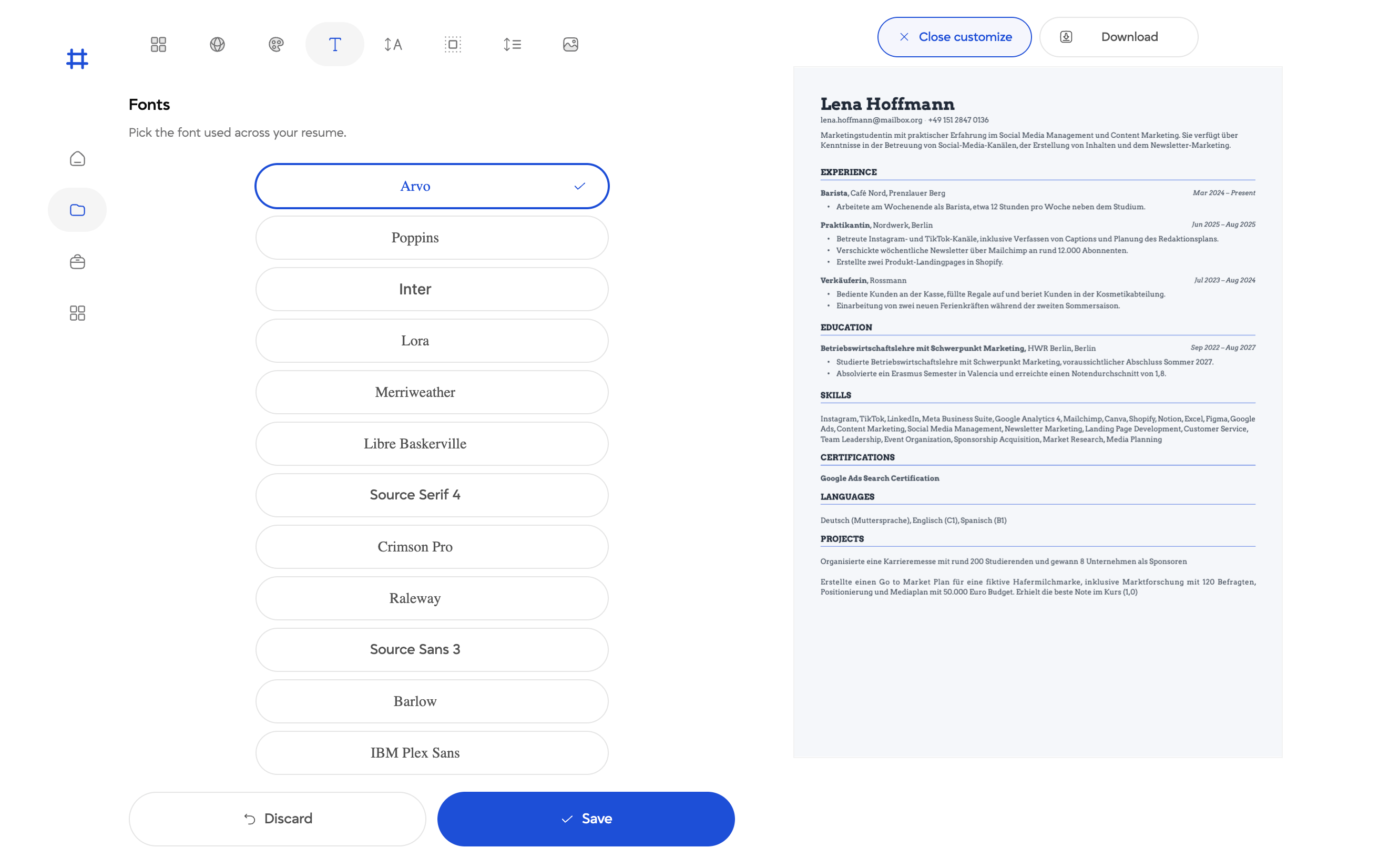
Serif or sans serif, all checked for legibility in a PDF.
Photo. A photo is expected on a CV in some countries and unusual in others. You can switch it on or off and set its size, rather than keeping two separate files.
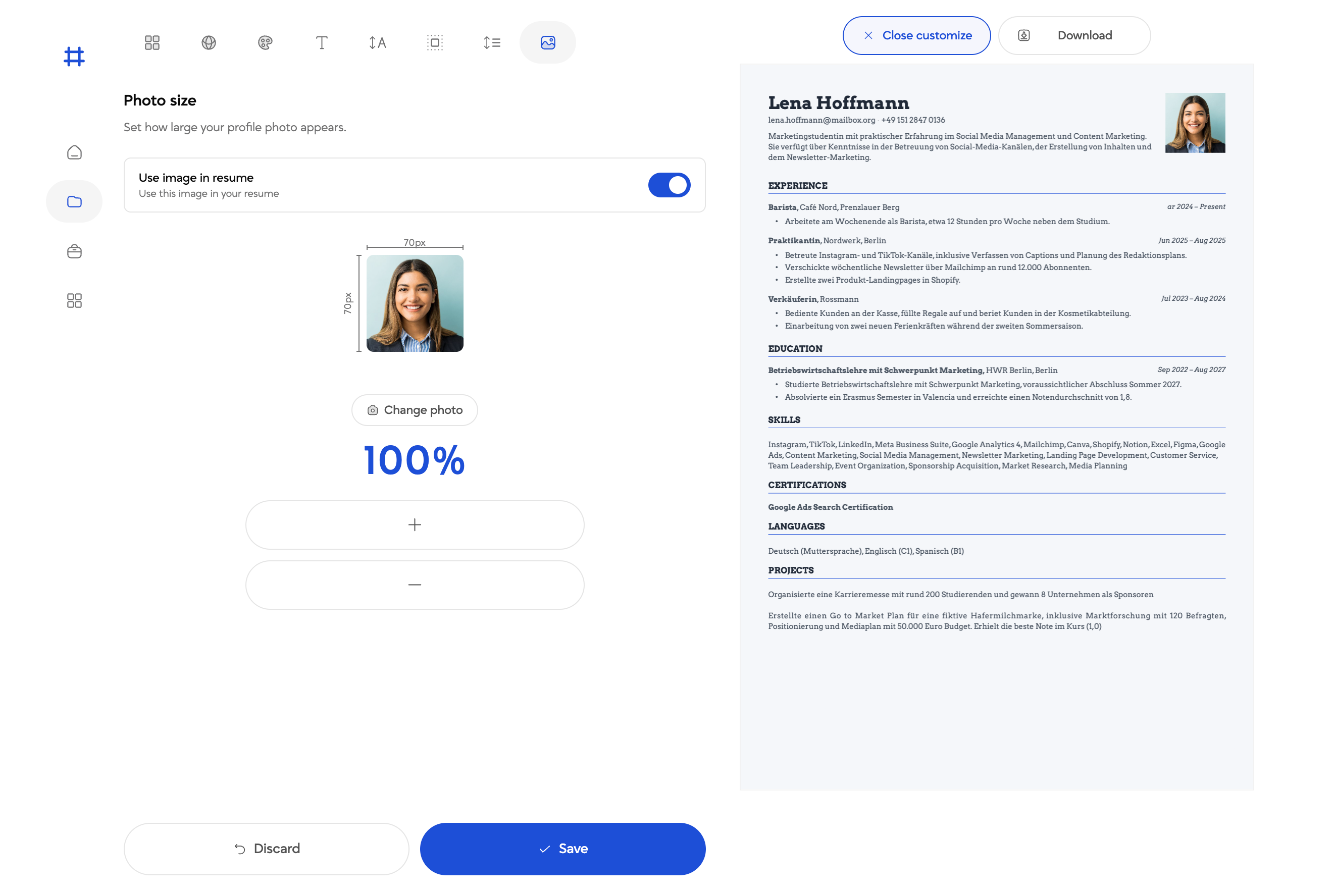
Switch the photo on or off and set its size, depending on where you are applying.
Resume language. This sets the language your CV is written in. It does not translate your text, it restructures the document: headings like Experience, Education and Skills, and the date formats, switch to the language you pick. If you apply in two languages you do not need two documents.
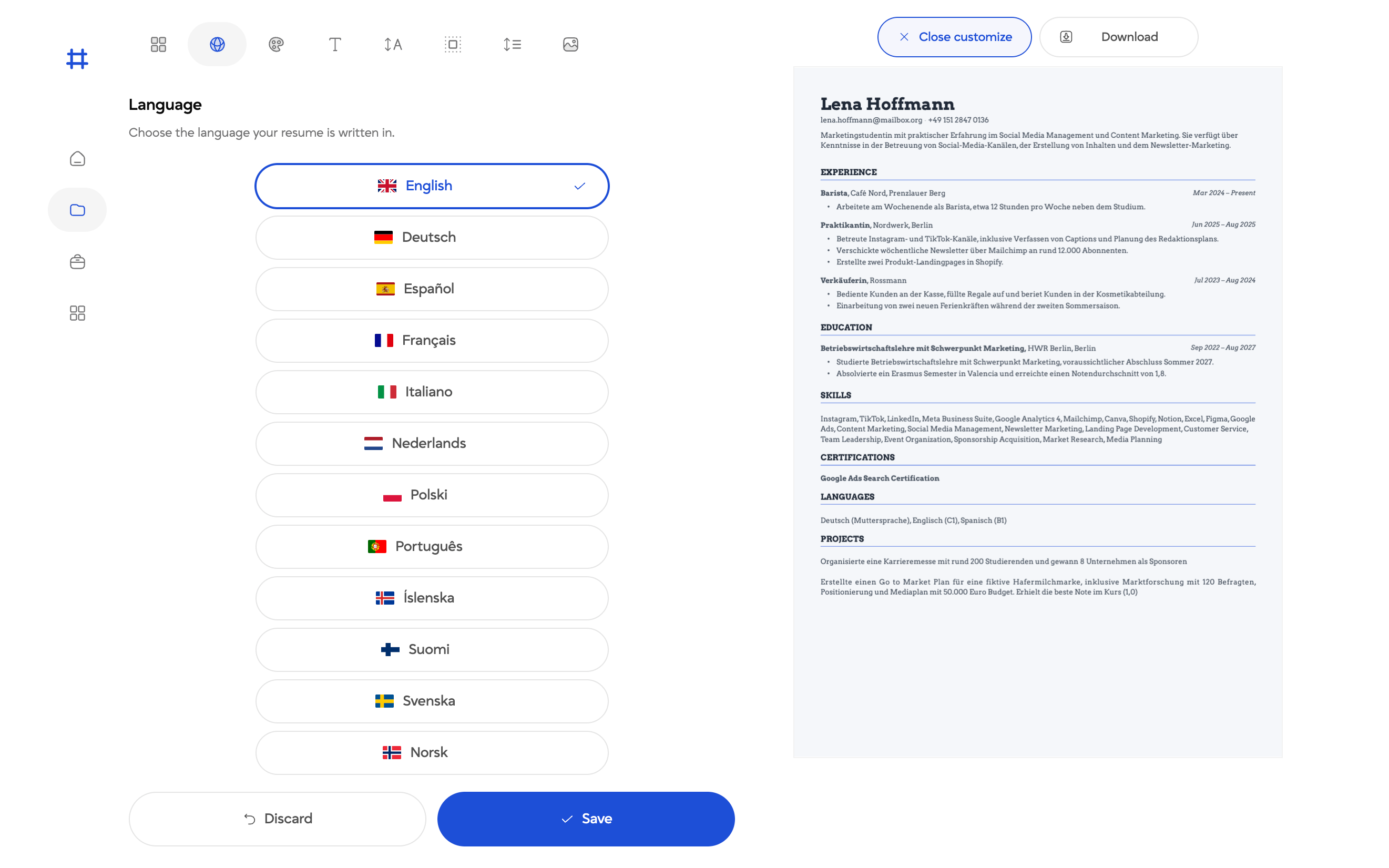
Setting the language restructures the document, so headings and dates switch with it.
5. Ask someone to look at it
You get a link you can send to a career advisor, a mentor, or a friend who recently got hired, and they leave their comments on the resume itself. Everything you need to change sits in one place instead of scattered across replies.
6. Match it to the job
A generic resume sent everywhere rarely lands. Paste in the job description and Laddro suggests how to rewrite your resume for that specific role, and shows you a match score so you can see how close a fit you are before you apply.
Nothing changes until you approve it, so read each suggestion and check it is actually true of you. It can draft a matching cover letter from the same resume, which you then edit, cut, or add to.
7. Keep track once you start applying
Laddro records which company, which role, and what stage each application is at. Once you are past a handful of applications this is the difference between knowing where you stand and losing track entirely.
It works in 16 languages, so international students and anyone applying abroad can build their resume in the language that fits.
What it costs
Building your resume is free, including every template and a live preview. Your first download is free, and you do not need to enter payment details to see a finished PDF.
After that, downloading is part of a paid subscription, and you can switch auto renewal off when you subscribe so you are not still being charged after your job search ends.
Start here: laddro.com
Ready to build your resume?
Put this into practice. Open the builder and create your resume step by step.
Free to use. No account needed to start.
Related articles

Care Assistant CV (UK): How to Write One That Passes the Checks
A UK care CV has to survive the recruitment checks providers are legally required to make. The structure managers expect, plus a worked profile you can copy.

Career Gaps Don't Scare Recruiters Anymore. Bad Explanations Do.
84% of hiring managers look for growth stories, not perfect timelines. Career gaps aren't the problem. Leaving them unexplained is.
Career Pivots in 2026: How to Rewrite Your Story Without Starting Over
Changing careers doesn't mean starting over. Reframe your experience, highlight transferable skills, and build a resume that tells your new story.